App launch readiness
Is Your AI-Built App Ready for Paying Customers?
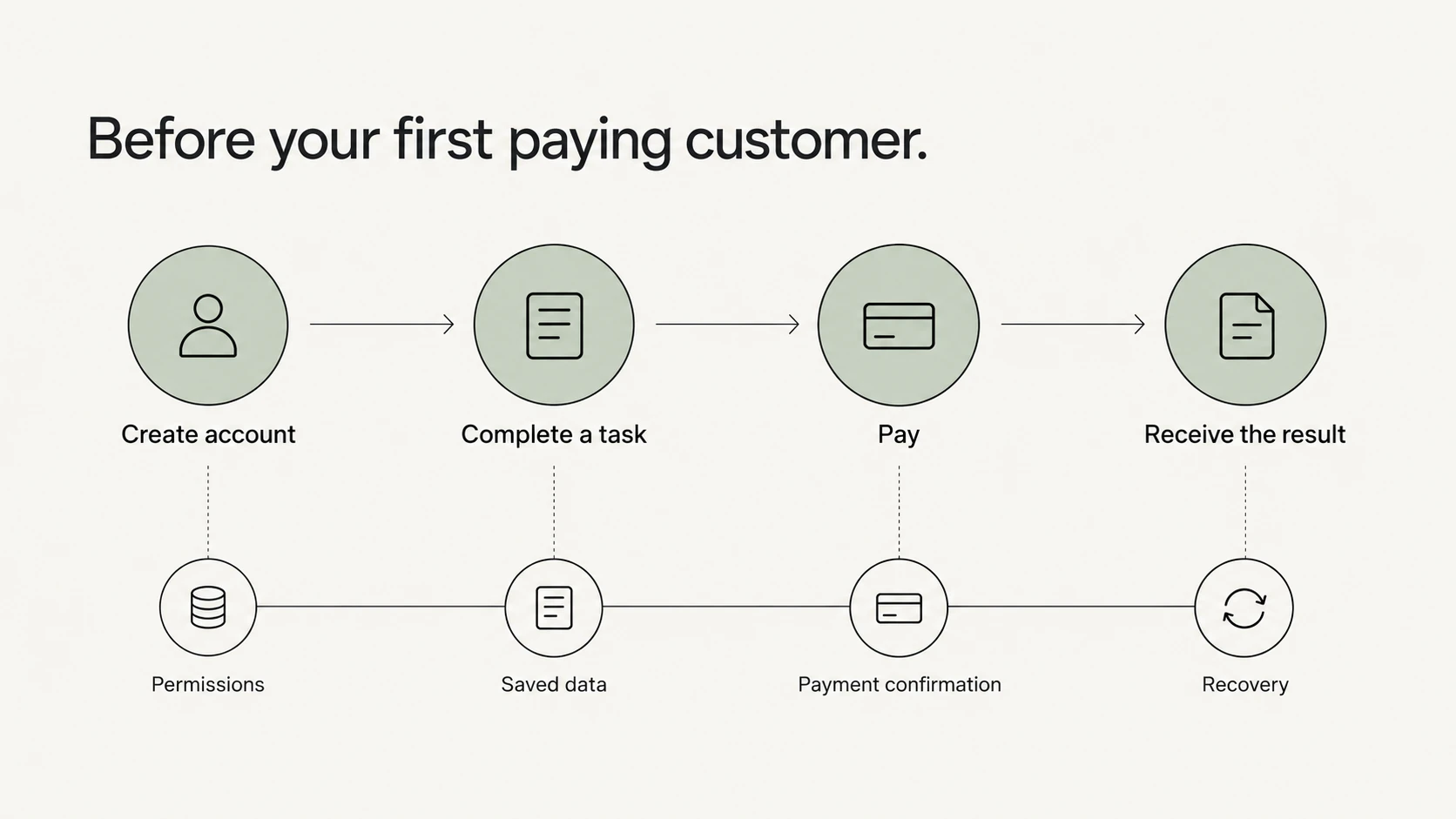
Before accepting paying customers, verify that they can complete the main task, their information stays private, payments work correctly, and you can recover from failures. How much testing you need depends on what the app handles and what could happen if something goes wrong.
If you built with Lovable, Bolt, Replit, or an AI coding assistant, you can make a useful first pass yourself. You’ll also need technical verification of the parts you can’t establish by using the interface.
The goal is to understand what’s ready, what needs fixing, and what remains unverified.
What can I check myself, and what needs a developer?
Start by separating observable behavior from the underlying checks.
| Area | What you can check yourself | What needs technical verification |
|---|---|---|
| Main customer task | A fresh account can complete the task without your help | The correct records are saved and connected services complete their work |
| Accounts and privacy | Each test account shows the information you expect | The server, database, and file storage reject unauthorized access |
| Payments | Sandbox checkout shows the expected success or failure message | Payment records, subscriptions, and customer access remain consistent |
| Failed actions | Errors explain what happened and how to continue | Retries and repeated submissions don’t cause duplicate charges or corrupted records |
| Recovery | You know who will respond when something breaks | Backups can be restored and a failed release can be recovered |
On a narrow screen, scroll the table horizontally to read all columns.
Passing the checks in the middle column doesn’t verify the right-hand column. Both matter before you rely on the app to serve customers.
How can I test my app without reading code?
Choose the main thing someone will pay to do. Write it in one sentence.
For example:
A customer creates an account, uploads a document, and downloads the finished result.
Test that journey from beginning to end using a fresh customer account in a separate browser profile. Keep your owner account closed.
Use dummy information and sandbox payments in a test environment. If you aren’t sure whether an action could affect real customers or create a real charge, clarify that before testing.
Complete the main task
Check whether a new customer can understand what to do, finish the task, and recognize the result.
Refresh the page and sign back in. Confirm their work is still there. Open generated files and check that required emails arrive.
Then ask someone unfamiliar with the app to try it. Watch where they hesitate before offering instructions. Those moments help you identify unclear steps.
Try an interrupted or failed action
Submit an incomplete form. Upload an unsupported file. Open an expired link. If the app takes payments, use the provider’s sandbox tools to simulate a declined payment.
Check whether the app explains:
- What happened.
- Whether anything was saved or charged.
- What the customer should do next.
Record the exact behavior. “The upload failed and the document disappeared” is useful information for someone investigating the problem.
Confirm what happened behind the success message
Follow the result beyond the screen.
If the app says it sent an email, check the test inbox. If it generated a document, open it. If it accepted a sandbox payment, compare its payment status with the provider’s record.
This helps you find cases where the interface reports success before the underlying work has completed.
Is a passing Lovable security scan enough?
A passing scan is useful within the checks it covers. It doesn’t establish that the whole app is ready for paying customers.
Lovable’s security documentation says its automated tools do not replace a thorough security review and cannot guarantee complete security. It recommends considering additional professional review for apps handling sensitive data or critical functionality.
A developer should verify access controls, sensitive credentials, and other risks relevant to your app. Security requirements can be assessed against a framework such as the OWASP Application Security Verification Standard.
You’ll still need to test the product’s business behavior. A security scan won’t establish whether a customer receives the correct document or whether a cancelled subscription changes their access correctly.
Which problems should delay launch?
Delay the affected release when a failure could expose private information, charge customers incorrectly, lose important work, or prevent delivery of the main paid service.
Use the following examples to prioritize findings. This is a starting point, not a complete security assessment.
| Finding | What needs to happen before launch |
|---|---|
| A customer can access someone else’s private records | Correct the access rules and retest the affected paths |
| A secret credential is exposed | Revoke or rotate it, correct its storage, and investigate possible misuse |
| Payment status and customer access disagree | Correct the inconsistency and verify relevant payment scenarios |
| Important records disappear or duplicate | Find the cause and test the corrected behavior |
| The main paid task fails without a recovery path | Fix the failure or remove that task from the paid offer |
| Important customer data has no verified recovery process | Establish and test suitable backup and recovery procedures |
| Minor spacing or cosmetic inconsistencies remain | Check whether they affect understanding or use; some can wait |
You can launch with a focused set of features. The features included in the paid offer need to deliver the promised result.
Can I start with a small paid beta?
A small paid beta can help you learn from real customers while keeping the release manageable. Define what’s included, explain known limitations, and provide a clear way to get support.
A smaller audience reduces exposure. It doesn’t make unsafe access controls or incorrect charges acceptable.
Before inviting customers, decide:
- Who will monitor problems and respond.
- How you’ll handle an interrupted service.
- Whether you can pause sign-ups or disable an affected feature.
- What feedback will determine the next changes.
Apps handling health information, financial records, or other sensitive data may need specialist security, privacy, and legal input before real use.
When should I bring in a developer?
Bring in a developer when launch-critical questions remain unanswered and you can’t verify them yourself. This is especially important when the app stores private customer information, takes payments, or performs actions that are difficult to reverse.
Ask them to inspect the existing app and explain:
- What they checked and tested.
- Which findings should delay launch.
- What remains unverified.
- What work is needed, with clear acceptance criteria.
That review can be the first milestone of finishing the app. It gives you a basis for agreeing on the remaining scope.
Before that first conversation, use the guide to what to send a developer.
An AI-built app doesn’t automatically need a rebuild. Any recommendation to replace it should explain which requirements the existing system can’t reasonably support and what working parts can be retained.
Keep a record of what’s verified
Use one shared checklist with three statuses: verified, failed, or not yet checked.
For each item, record how it was tested, what happened, and the next action. Keep screenshots or test results where they help explain the outcome.
That gives you a clearer launch decision and a useful record for future changes. Repeat the relevant checks when you update payments, permissions, data handling, or the main customer journey.
Have an app you want to finish?
Send a link and a short note about what works and what you want finished. We can work out what needs attention before agreeing on the remaining build.